
Every project, one place.
Plans, RFIs, submittals, daily reports, schedules and contracts for the whole project team, from the office to the jobsite. Built by builders, on real projects.
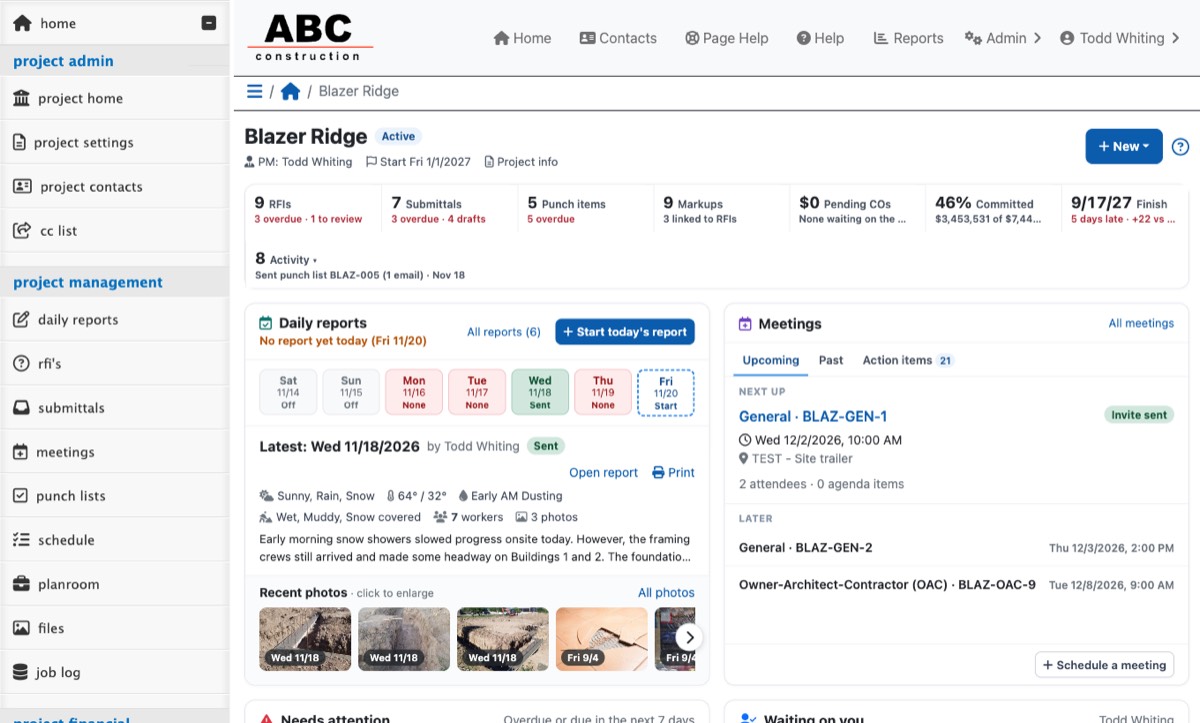
The paperwork that drives a project, finally under control
Every item has an owner, a due date and a clear next step, so nothing sits in someone's inbox.
Always know whose court the ball is in
Send RFIs and submittals by email, track who opened them, and get answers back without anyone needing an account.
- Overdue, waiting-on-me and to-review filters
- Link drawings, markups and files to any item
- Reviewers respond straight from the email
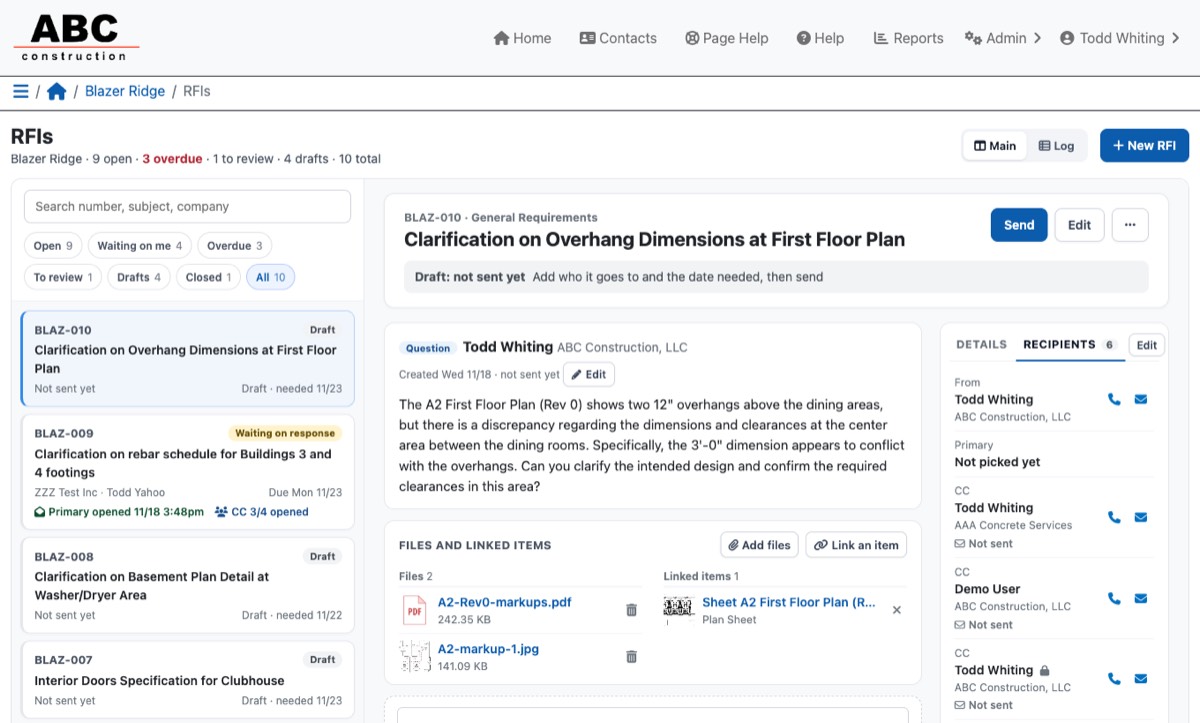
Daily reports your field team will actually fill out
Weather, crews, work done, inspections and photos in a few minutes from a phone, emailed to everyone who needs it.
- Crews and workers by company
- Photos with search across every report
- See who opened each report
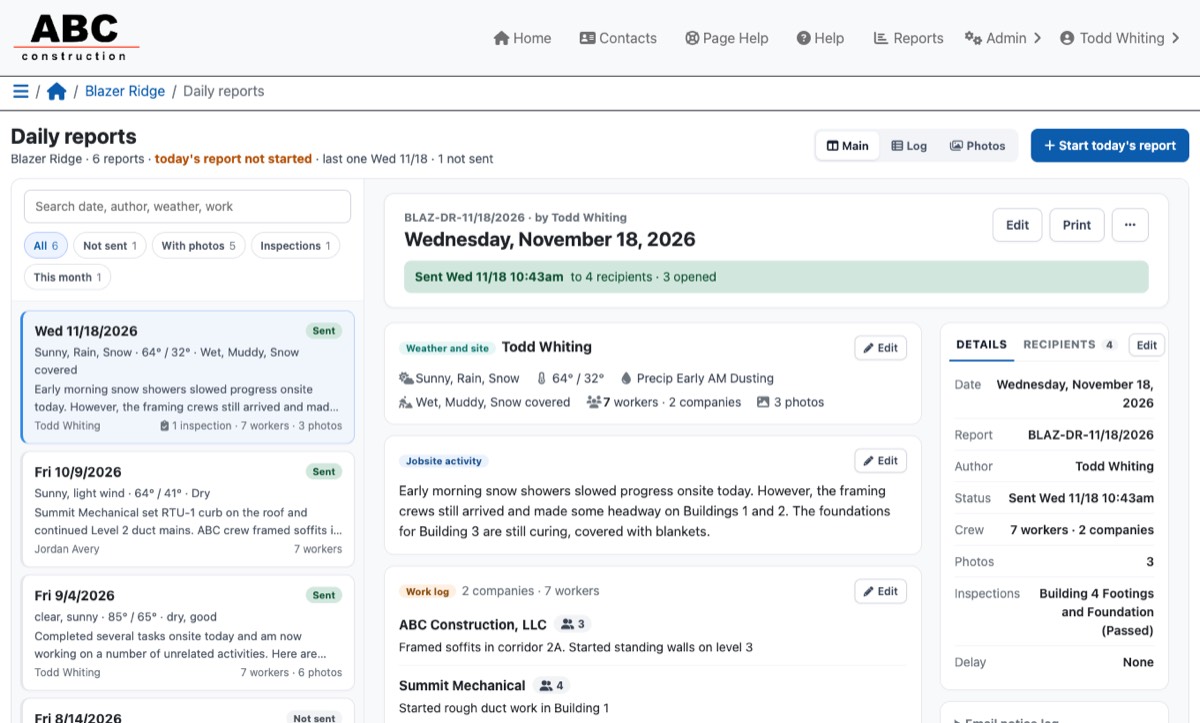
The current set, every time
Upload drawing sets and addenda; CM Simplify keeps the latest revision of every sheet in front of the team and the old ones on file.
- Sheets sorted by discipline with revision history
- Markups linked to RFIs
- View-only sharing for bidders
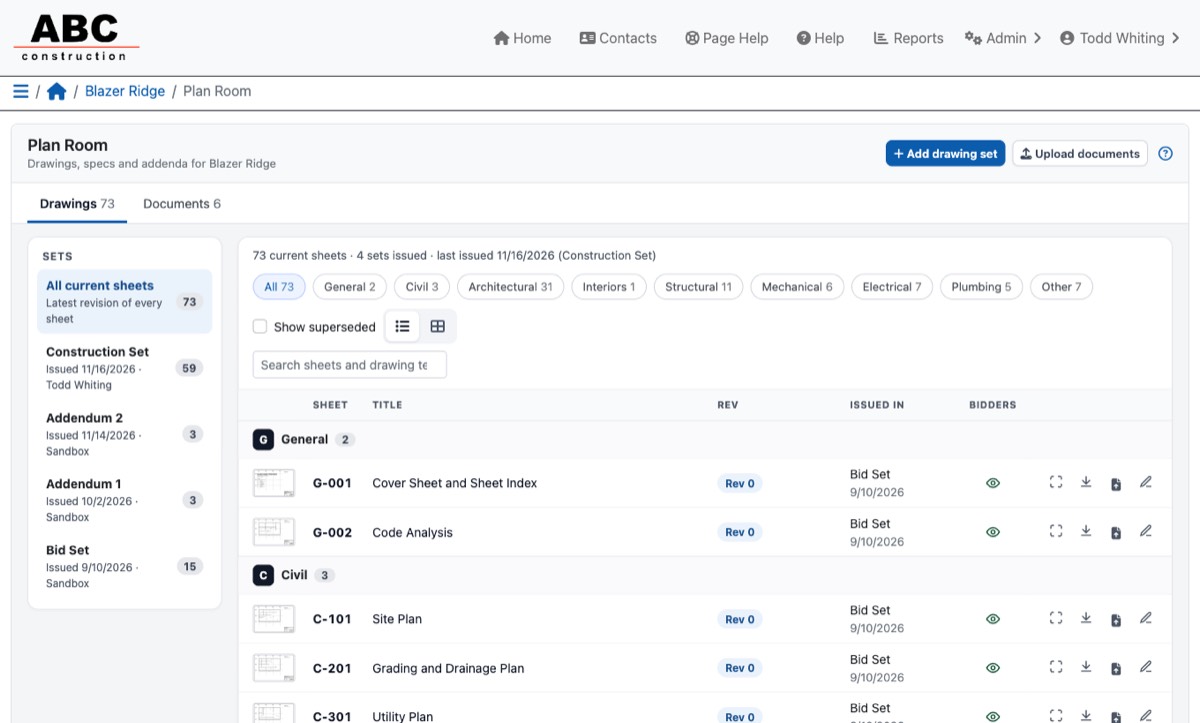
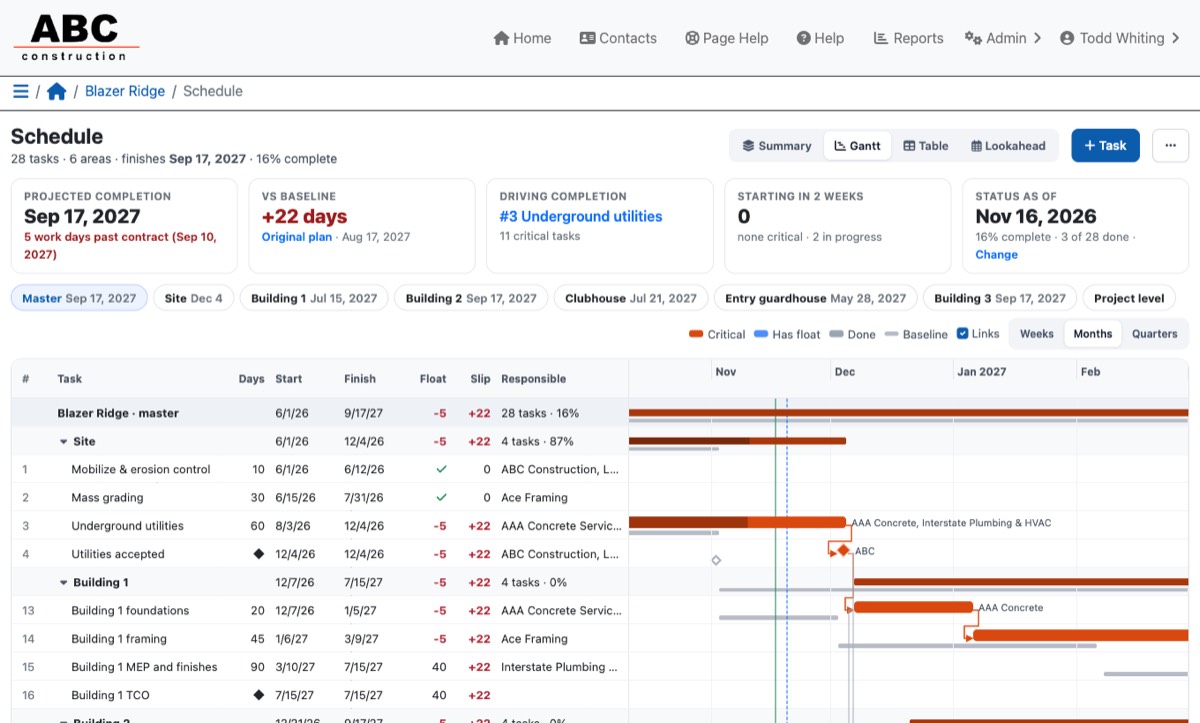
A schedule that shows what's driving the finish date
Critical path scheduling by area, with a baseline, lookahead and progress from the field, without a scheduling specialist.
- Projected finish versus contract and baseline
- Tasks assigned to the companies doing the work
- Two-week lookahead for the field
One system from bid day to closeout
Bidding
Invite bidders by trade, level bids side by side and turn the winners into contracts.
Contracts & change orders
Subcontracts, purchase orders, owner and sub change orders, and backcharges.
Budget & job cost
Contract budget by cost code, committed costs and what's left, by CSI division.
Meetings
Agendas, minutes and action items that carry forward until they're done.
Punch lists
Punch items by area and company, with photos and sign-off.
Contacts & compliance
One company directory with insurance and license tracking and reminders.
Project files
Folders for everything else, stored securely in the cloud.
Vendor portal
Subs and suppliers see their own contracts, change orders and plans, nothing more.
Reports
Ready-made reports for compliance, commitments, RFIs and submittals, plus custom ones.
AI that does the busywork, and leaves the decisions to you
Smart tools draft and check; your team reviews and sends. Nothing goes out on its own.
Everyone sees what they need, and only that
General contractors
Run the project: documents, field reports, schedule, buyout and cost in one place.
Owners & architects
Follow progress, answer RFIs and review submittals with read-only or response access.
Subcontractors & suppliers
Respond from email links or the vendor portal, with no extra software to learn.
See CM Simplify on a project like yours
A 30-minute walkthrough with the person who built it.